Email signature

À lire aussi
Adding an email signature to Gmail is a great way to personalize your emails and communicate important information like your contact details or your company logo.
.png)
Marketplace, Waalaxy integration, offline AI scanner, badge folders, multilingual app... WEMET is opening up to your ecosystem this month. Discover all the new features and our tips for getting the most out of them.
Adding an email signature to Gmail is a great way to personalize your emails and communicate important information like your contact details or your company logo.
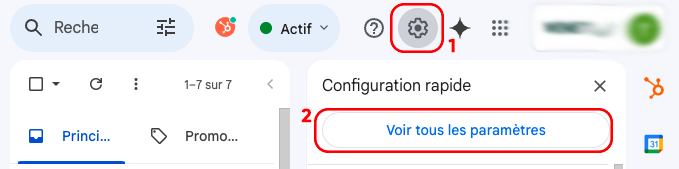
Here's a simple guide to setting up your signature in Gmail.

Avec la WeCard, transformez votre signature mail en véritable levier de networking. En un clic, vos contacts accèdent à toutes vos informations : coordonnées, site web, réseaux sociaux, portfolio, et bien plus.
Fini les cartes papier oubliées ou perdues, votre WeCard est toujours accessible et mise à jour en temps réel.
Avec wMail, WEMET va encore plus loin en intégrant une solution de gestion centralisée des signatures mail. Vous pouvez :

En combinant WeCard et wMail, vous facilitez la gestion de votre image de marque tout en améliorant l’impact de vos échanges professionnels.