Meet New
.png)
À lire aussi
.png)
Multi-link NFC plates, smart reviews, multi-location statistics... this month, WEMET focused on NFC plates and Google reviews, not to mention the free trial, in-app customization, and the Spanish-language platform. Discover all the latest updates and our tips for getting the most out of them.
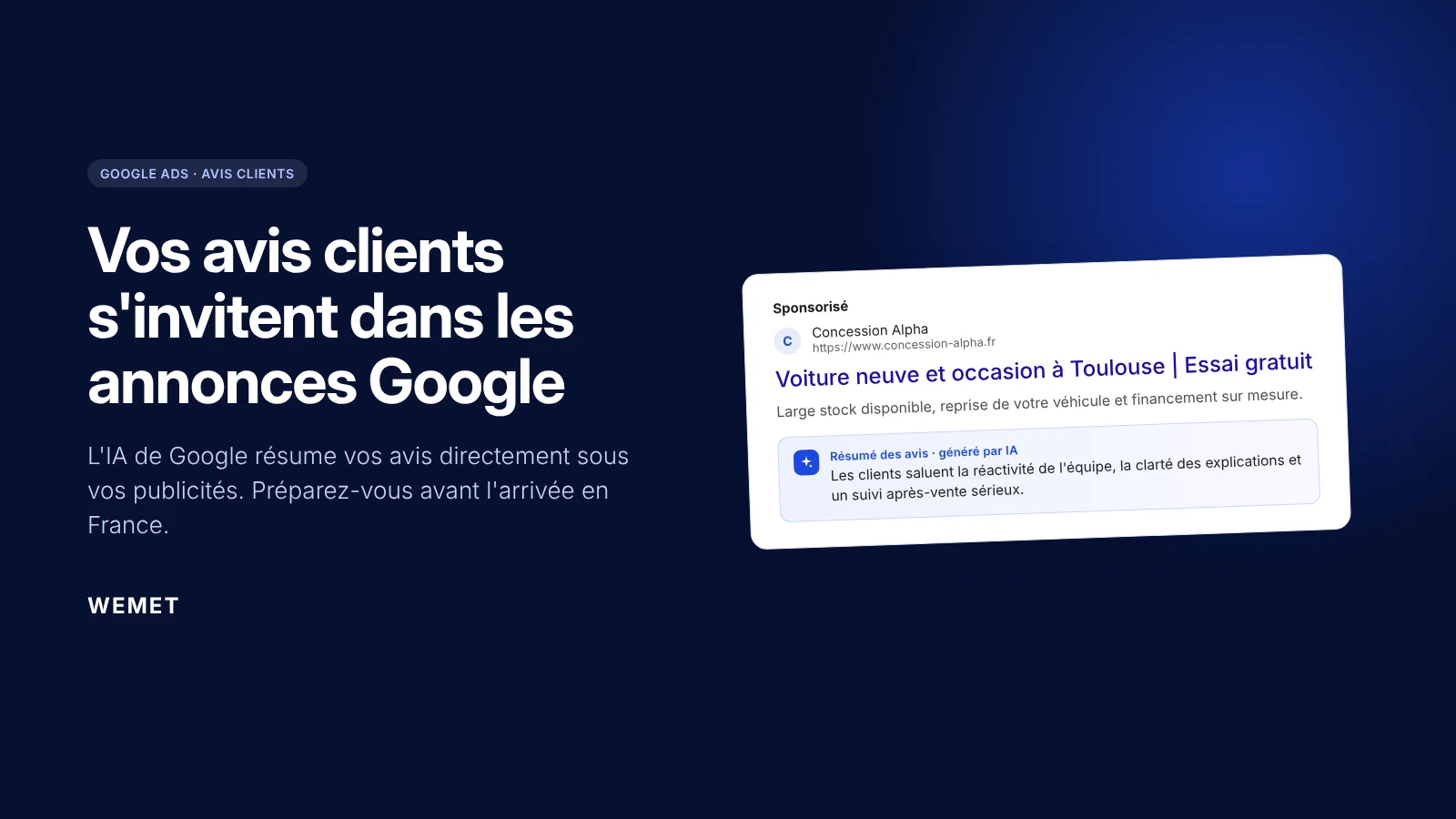
At the end of October 2026, Google officially introduced "review summaries": AI-generated summaries of customer reviews displayed directly in Search ads. For now, the feature is available in English in the United States, the United Kingdom, Australia, and India. But the message is clear: your reviews are no longer just for your Google Business Profile. They are becoming a key advertising asset.
Marketplace, Waalaxy integration, offline AI scanner, badge folders, multilingual app... WEMET is opening up to your ecosystem this month. Discover all the new features and our tips for getting the most out of them.

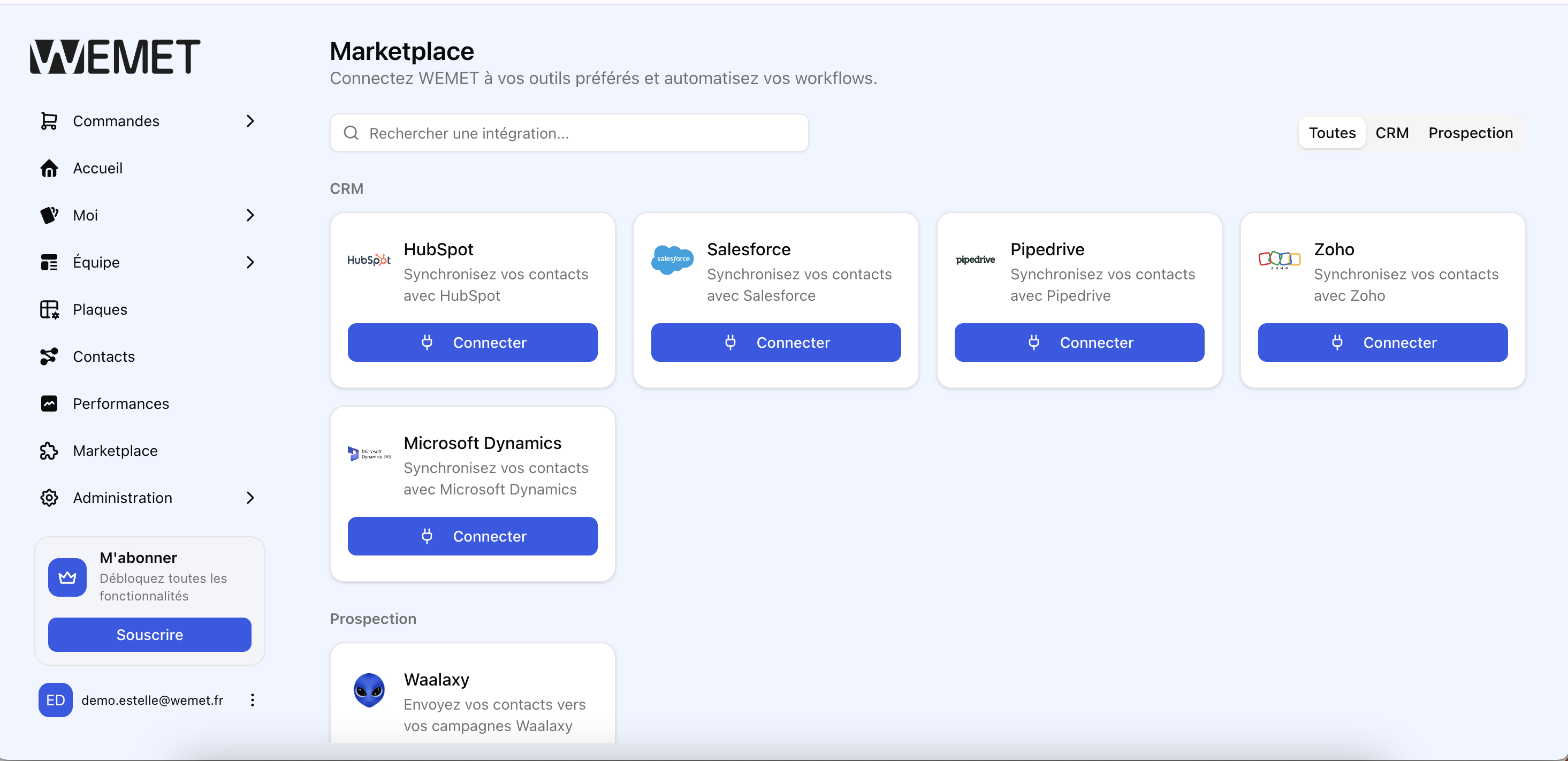
Connect WEMET to your favorite tools directly from the platform: CRM, prospecting, HR... no more juggling between multiple interfaces. The marketplace centralizes all your available integrations, ready to be activated in just a few clicks.
💡 Pro tip: Start by connecting just one tool (the one your team already uses most daily) rather than activating everything at once: this ensures you validate the setup before multiplying your connections.
Learn more: Discover all WEMET features
A contact collected with WEMET can now be added directly to a Waalaxy sequence: LinkedIn invitations, automated messages, and sales follow-ups, with no manual data entry. Your field prospecting now automatically extends into digital prospecting.
💡 Pro tip: Reserve this automatic transfer for already qualified contacts (a hot lead rather than a randomly scanned badge): a Waalaxy sequence is more effective on a targeted shortlist than when sent to every contact from a trade show.
Learn more: WEMET x Waalaxy: finally connect your field prospecting to your LinkedIn prospecting
.png)
Scan a business card even without a network. The contact is saved locally on your phone and syncs automatically as soon as you're back online: trade show basements, dead zones, or airplanes—no more excuses for losing a lead.
💡 Pro tip: Check the "pending sync" screen in the app at the end of the day: it’s the only way to confirm that all your offline scans have successfully uploaded once you're reconnected.
Learn more: How to scan business cards after a trade show
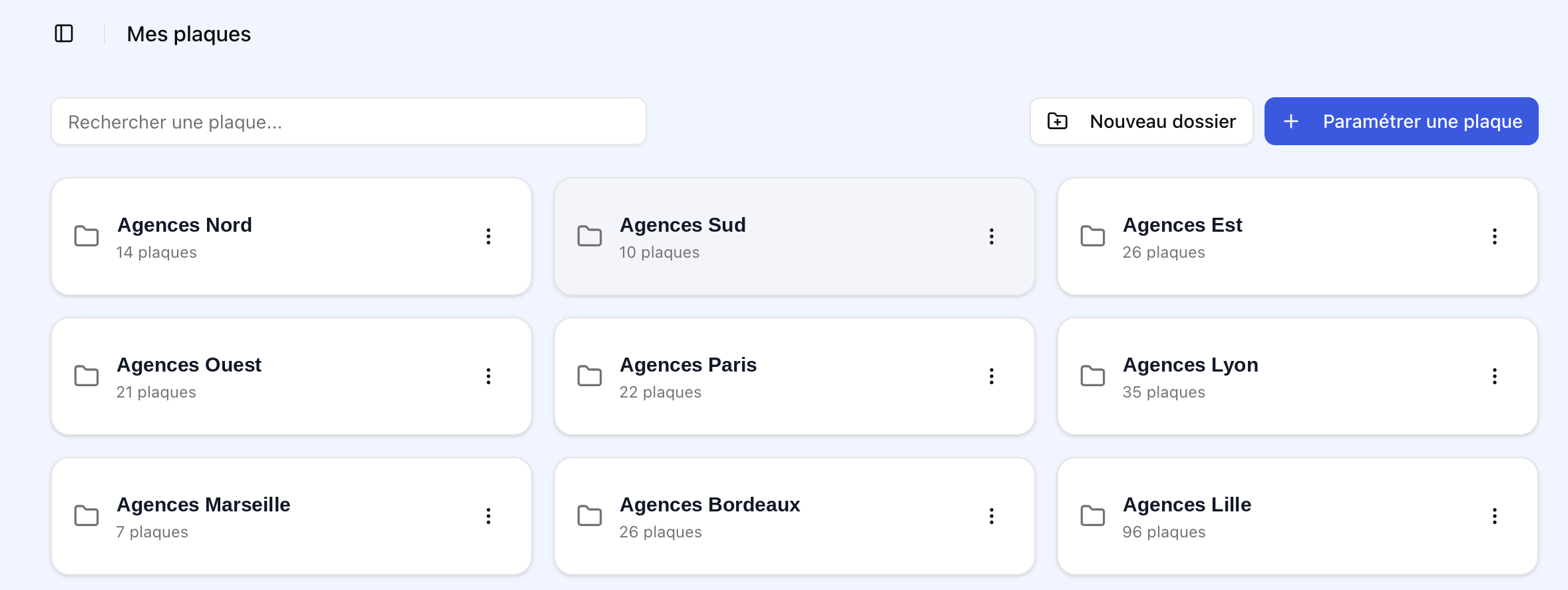
Organize your NFC cards by team, event, or region in the management platform to find the right template at a glance. No more endless lists of unsorted cards.
💡 Pro tip: Choose one organizational logic (by team or by geographic area, but not both): mixing folder criteria is the number one cause of misfiled cards a few months down the line.
English, French, Spanish... set the WEMET app language according to each employee's preference, anywhere in the world. One international team, one single platform.
.png)
💡 Pro tip: If you manage a multi-country team, let your employees know about the language options directly rather than waiting for them to discover it: anyone can switch the app to their preferred language in seconds via their settings.