Technology
À lire aussi

What are the functionalities of an NFC business card and how can they transform your professional exchanges?
.png)
Marketplace, Waalaxy integration, offline AI scanner, badge folders, multilingual app... WEMET is opening up to your ecosystem this month. Discover all the new features and our tips for getting the most out of them.
The digital transformation of professional tools has made the traditional paper business card obsolete. Today, the Apple Wallet business card has become an essential solution.

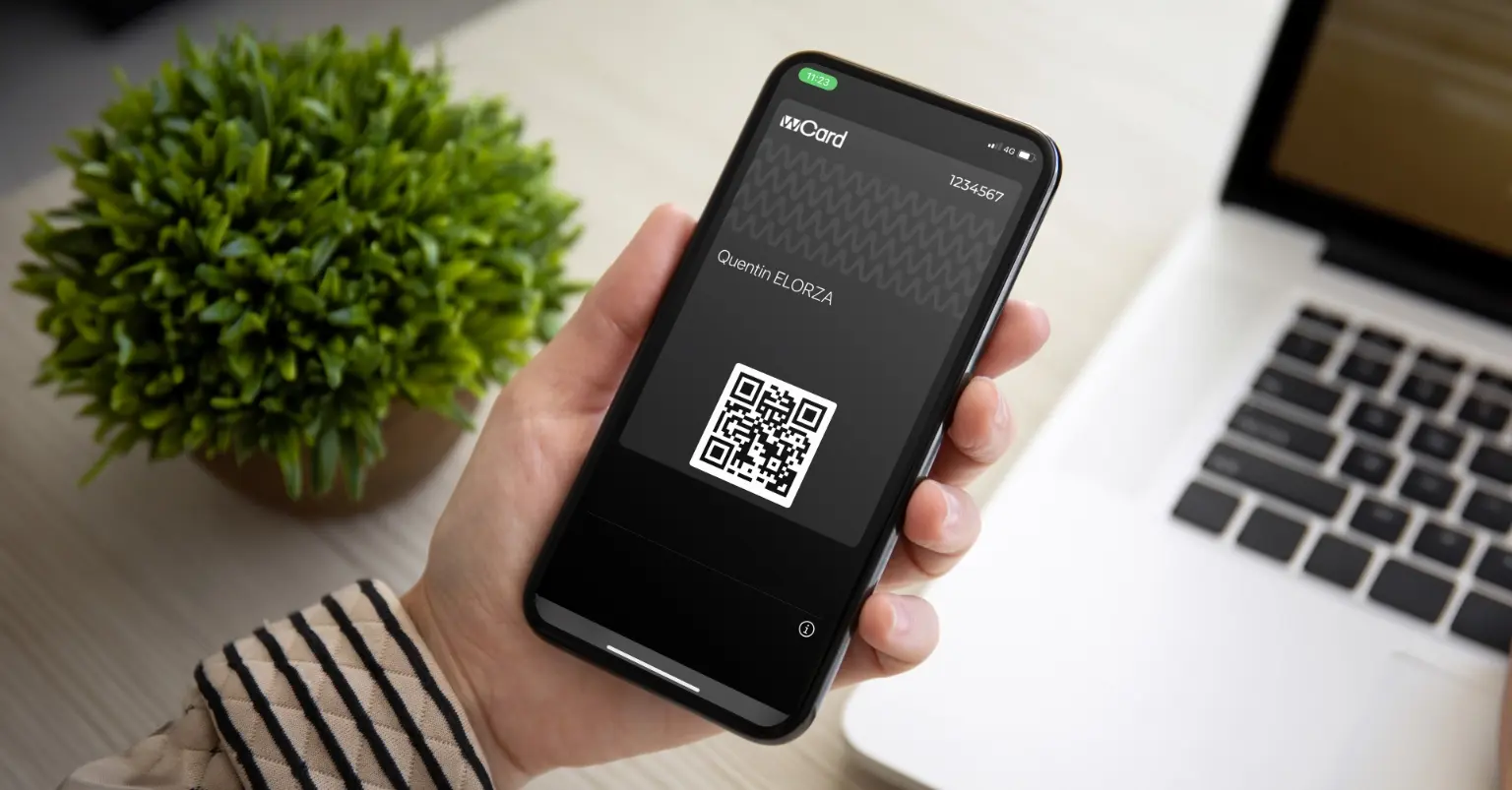
Your digital business card can live in a place you already open several times a day: your Wallet.
No need for an extra app, no searching through your emails before a meeting; your card is right there, next to your boarding pass or loyalty card, accessible in one tap, even without an internet connection.
In this guide, we show you how to add your WEMET business card to Apple Wallet and Google Wallet, and why it truly changes the way you network.
Apple Wallet (on iPhone) and Google Wallet (on Android) are the native card storage apps on your smartphones. Originally designed for bank cards and boarding passes, they now support a format called a "pass": a dynamic digital card that can display up-to-date information without you needing to open a third-party app.
A business card added to your Wallet works exactly like any other pass: it appears via Face ID, Touch ID, or a simple tap, it remains accessible offline, and it can update automatically if the information it contains changes.
Apple Wallet, also known as "Wallet" or "Apple Pay," is an app built into Apple iOS devices, such as iPhones and Apple Watches, designed to simplify the management of cards, tickets, and coupons.
The app allows you to digitally store cards or documents, but that's not all: you can also make secure payments in stores or online thanks to NFCcompatibility.
The app offers the ability to store electronic tickets for public transport, events, and travel, thereby simplifying access to and management of this information.
It also allows users to store coupons and special offers from participating merchants, enabling them to enjoy savings and promotions without having to carry physical coupons—helping to reduce paper waste. Just like your digital business card.
Apple Wallet offers an ingenious way to manage your digital documents. Adding items is simple: select the type of item and follow the instructions.
Once stored, your documents are organized and easy to access. Use your payment cards for in-store or online transactions via Apple Pay. Electronic tickets, such as boarding passes, are instantly available via QR code, for example.
Apple Wallet offers a multitude of benefits that simplify and improve your daily experience:
In short, Apple Wallet simplifies the management of various digital documents, improves transaction security, and helps you stay organized while offering a smooth and convenient experience.
To use Google Wallet, simply add your cards and relevant information to the app. You can then make contactless payments in stores, online, and use your digital business card or loyalty cards.
Google Wallet offers benefits similar to Apple Wallet, including:
Google Wallet simplifies the management of various digital documents, enhances transaction security, and keeps you organized while offering a seamless and convenient experience.
In recent years, the way professionals exchange contact information has changed profoundly. Storing your business card in Apple Wallet or Google Wallet, right next to your boarding pass or loyalty card, is now one of the most natural ways to keep it within reach.
The benefit is simple: you open your Wallet several times a day to pay, board, or scan a ticket. Your business card leverages this established habit, rather than asking your contacts to open an app they never use.
The tangible benefits:
A well-designed digital business card goes beyond simply sharing contact details.
Unlike a paper rectangle limited to a few lines, your WEMET digital profile can hold much more than just a name and phone number. Add:
Everything is accessible directly from your profile, so your contact doesn't need to follow up with you to get a document or link they've already seen in your conversation.
At an event or trade show, the dynamic shifts: it’s not just about you sharing your details, but also about collecting those of the people you meet. The WEMET digital business card allows you to scan received cards and automatically centralize collected contacts in one place, with direct synchronization to your CRM.
In practical terms, this avoids two common trade show pitfalls: the stack of paper business cards that you have to re-enter (or never get around to entering) once you're back at the office, and promising leads that are lost due to a lack of timely follow-up. Every contact scanned during the event goes directly into your sales pipeline, ready for follow-up.
Every email you send can become an additional touchpoint. WEMET allows you tointegrate your digital business card directly into your email signature : your recipients can access your full profile, contact details, links, and social media without leaving their inbox, and without you having to manually attach anything.
For teams interacting with international contacts, your digital profile can adapt to your contact's language: it switches language in a single click, or lets your contact choose the display language that suits them best. It’s a detail that makes a difference at an international trade show or during a meeting with a foreign client.
For a team, managing cards individually is not sustainable. WEMET offers centralized administration designed for organizations:
This governance ensures that every employee represents the company with a consistent image, without the need for manual coordination every time a change occurs.
Professional networking means being able to reach your contacts regardless of their device. The WEMET digital profile works on all platforms:
This multi-platform approach ensures that no networking opportunity is lost due to technical compatibility issues.
Your card represents your professional image. A few simple principles will help you make the most of it:
The widespread use of digital identifiers naturally raises security questions, a subject that WEMET takes seriously, with several concrete guarantees:
Industry observers are noting a gradual decline in the printing of paper business cards as digital alternatives become standard for professionals. This shift mirrors transitions seen in other sectors that have moved from physical to digital, such as photography, music, and document archiving.
However, the total disappearance of the paper card remains unlikely. Certain networking contexts and cultural preferences will continue to drive demand for traditional cards, likely as a premium item or a one-off gesture rather than a daily tool.
The digital business card is now the new standard for professional networking: it combines convenience, security, and measurable results, while eliminating the constraints of paper (reprints, obsolete stock, static information).
Whether you are a freelancer or managing networking tools for an entire organization, WEMET offers customizable digital business cards that can be shared instantly via QR code, NFC, or Wallet integration, with lead capture, CRM synchronization, and team management already built in.